Changelog #46
The UCSB Card Module adds a Card option to the Blade paragraph type, so content editors can build a row of image-and-text cards. Each card sets its own width, background color, image, and body text.

Install
To install this module, use the Drupal Admin UI or use the following drush command
drush en ucsb_cards
On a site that already had the module, run database updates as well
drush updatedb
Usage
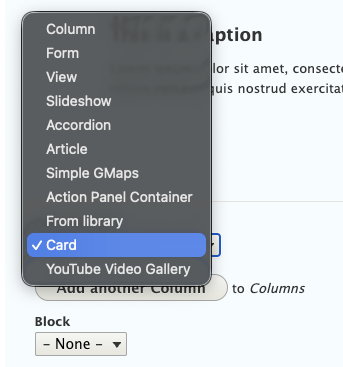
To use this option, when editing a Blade select the Card option from the Column type drop down menu, then set its width, background color, image, and body text.
A card only picks up its width and its Blade's equal-height and full-bleed settings when it's placed directly in a Blade's Columns field. Viewed on its own, outside a Blade, a card renders without those classes.